Design Tools
For Modern Creators
Create stunning visuals, beautiful interfaces, and professional graphics. From beginners to pros, find the perfect tool to bring your ideas to life.
From concept to creation
Design Process
Overview
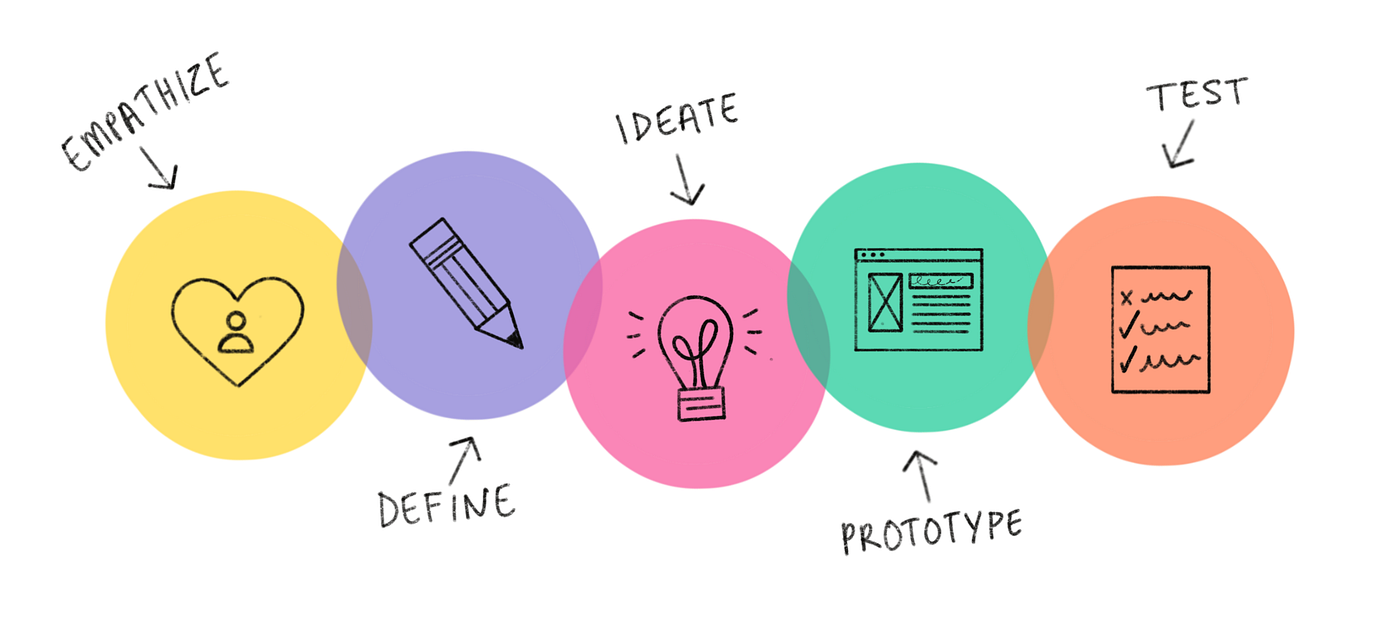
The design process involves research, wireframing, prototyping, and user testing. Understanding these steps helps you create better user experiences.
Research & Discovery
Understand user needs and requirements
Wireframing & Visual Design
Create layouts and high-fidelity mockups
Prototyping
Build interactive prototypes for testing
Testing & Iteration
Test with users and refine your designs
Featured Design Tools
Discover the most popular design tools used by creators worldwide
Figma
Figma is a cloud-based design tool that allows real-time collaboration. It's perfect for creating UI/UX designs, prototypes, and design systems that teams can work on together.
Key Features:
- Real-time collaboration
- Vector editing tools
- Prototyping & animations
- Design systems support
Best for: UI/UX Designers, Teams
Visit Official Website
Canva
Canva is an easy-to-use graphic design platform with thousands of templates. It's great for creating social media posts, presentations, posters, and more without design experience.
Key Features:
- Drag-and-drop interface
- Thousands of templates
- Stock photos & elements
- Brand kit feature
Best for: Beginners, Marketing
Visit Official Website
Adobe XD
Adobe XD is a vector-based tool for designing and prototyping user experiences. It integrates with other Adobe products and offers powerful features for professional designers.
Key Features:
- Repeat grid feature
- Auto-animate
- Voice prototyping
- Adobe integration
Best for: Professional Designers
Visit Official Website
Sketch
Sketch is a vector graphics editor for macOS, popular among UI/UX designers. It's known for its simplicity and powerful plugin ecosystem.
Key Features:
- Symbol libraries
- Smart layout
- Extensive plugins
- Cloud collaboration
Best for: Mac Users, UI Design
Visit Official Website
Photopea
Photopea is a free online photo editor that works like Photoshop. It supports PSD, XCF, and Sketch files, making it a great alternative for students and budget-conscious designers.
Key Features:
- Free to use
- PSD file support
- No installation needed
- Advanced editing tools
Best for: Students, Budget Users
Visit Official WebsiteDesign Tools Comparison
Which tool is best for different types of users?
| Tool | Price | Ease of Use | Best For | Platform |
|---|---|---|---|---|
| Figma | Free / Pro $12/mo | ⭐⭐⭐⭐⭐ | UI/UX Design, Teams | Web, Desktop |
| Canva | Free / Pro $13/mo | ⭐⭐⭐⭐⭐ | Beginners, Marketing | Web, Mobile |
| Adobe XD | $10/mo | ⭐⭐⭐⭐ | Professional Design | Windows, Mac |
| Sketch | $10/mo | ⭐⭐⭐⭐ | Mac UI Design | Mac only |
| Photopea | Free | ⭐⭐⭐ | Photo Editing | Web |
Sources: figma.com, canva.com, adobexdplatform.com, sketch.com, photopea.com
Back to Home